
What does “tech neck” mean?
Tech neck describes neck, upper-back, and shoulder discomfort associated with prolonged use of phones, tablets, laptops, and other screens. The term is informal rather than a medical diagnosis, but the symptoms are real: aching, stiffness, headaches, limited neck movement, shoulder tension, and occasional pain that travels into the upper back or arms.
The main issue is usually not technology itself. It is the combination of prolonged stillness, repeated forward head positioning, limited movement, and a workstation that does not fit the person using it.
A head that remains tilted downward for long periods can increase the workload on the muscles behind the neck and across the shoulders. Over time, the body may respond with muscle fatigue, protective tension, and reduced comfort during ordinary activities such as driving, reading, or sleeping.
Why is phone and computer posture hard on the neck?
The neck is designed to support the head while it is balanced over the shoulders. Looking down shifts the head forward, requiring the neck and upper-back muscles to work continuously to keep it from dropping farther.
That does not mean every forward movement is harmful. Bending the neck is a normal part of daily life. The concern is staying in the same position for too long, especially while concentrating and ignoring early discomfort.
Common patterns include:
- Holding a phone below chest level for extended reading or messaging
- Working on a laptop with the screen low and the keyboard attached
- Leaning toward a monitor to read small text
- Cradling a phone between the ear and shoulder
- Using several screens while repeatedly twisting the neck
- Remaining seated for hours without changing position
A useful principle is that the “best” posture is not one rigid position. The healthiest posture is usually the next posture, because regular movement prevents one area from carrying the same load continuously.
How should a home workstation be arranged?
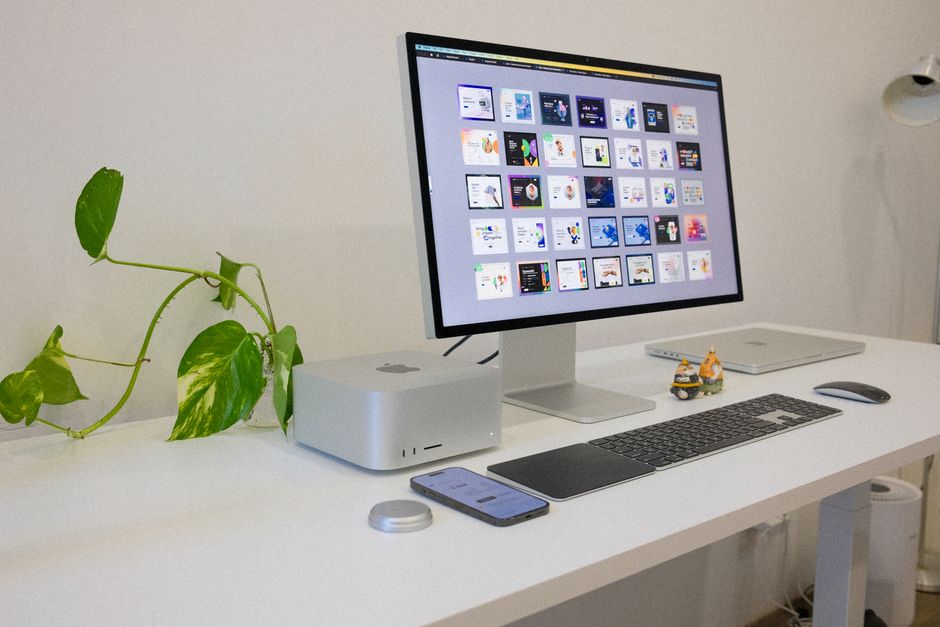
A few adjustments can substantially reduce unnecessary neck strain. The screen should be directly in front of the user, roughly an arm’s length away, with the top of the display at or slightly below eye level. This allows the eyes to look slightly downward without requiring the entire head and neck to bend forward.
For laptop users, raising the screen often makes the keyboard too high for comfortable typing. A separate keyboard and pointing device can allow the screen to be elevated while keeping the shoulders relaxed and elbows near the body.
A practical workstation check includes:
- Keep both feet supported by the floor or a stable footrest.
- Let the lower back rest against the chair rather than hovering forward.
- Keep shoulders relaxed instead of lifted toward the ears.
- Position the keyboard so wrists remain fairly straight.
- Place the primary monitor directly ahead rather than to one side.
- Increase text size instead of leaning closer to the screen.
- Reduce glare so squinting and forward leaning are less likely.
In homes with limited space, a dining table, kitchen counter, or bedroom desk may serve several purposes. The goal is not to create a perfect office. It is to make small changes that prevent repeated reaching, twisting, and leaning.
How can phone use be made easier on the neck?
Raise the phone closer to eye level when reading or texting, especially during longer sessions. Supporting the elbows on armrests, a desk, or a pillow can reduce the effort required to hold the device up.
Voice-to-text, audio messages, and hands-free calls can also reduce the amount of time spent looking down. For longer reading, a stand or another stable support may be more comfortable than holding the device in the lap.
Avoid using a phone while walking near traffic, crossing streets, or navigating icy or wet surfaces. In the colder months, local residents may already be wearing heavier clothing or gloves, which can make it harder to maintain a relaxed grip and safe awareness of surroundings. Looking down at a screen outdoors can also reduce attention to uneven pavement, snow, or slippery surfaces.
How often should someone take a break from screens?
Short, frequent movement breaks are generally more useful than waiting for one long break at the end of the day. Every 20 to 30 minutes, change position, look away from the screen, and move the neck and shoulders gently.
A break does not need to be elaborate. Stand up, walk through the room, roll the shoulders slowly, or take several comfortable breaths while allowing the arms to hang naturally. During longer work periods, vary tasks when possible so that typing, reading, speaking, and movement are not concentrated into one uninterrupted block.
Stretching should feel mild. Pulling forcefully on the head, bouncing into a stretch, or continuing through sharp pain can aggravate an already irritated area.
What exercises may help prevent tech neck?
Prevention usually depends more on consistent movement and endurance than on aggressive stretching. Exercises should be comfortable and controlled.
Examples include:
- Chin nods: Gently draw the chin back as if making a small double chin, without looking down. Hold briefly and relax.
- Shoulder blade setting: Let the shoulders drop, then gently draw the shoulder blades slightly back and down.
- Neck rotation: Turn the head slowly to one side and then the other, staying within a comfortable range.
- Upper-back movement: Place the hands across the chest and gently extend the upper back over the back of a chair, avoiding forceful pressure.
- Walking: Regular walking helps interrupt prolonged sitting and supports general physical activity.
These movements should not cause numbness, tingling, dizziness, worsening headaches, or pain that travels into an arm. Anyone with a known neck condition, recent injury, or significant symptoms may need individualized guidance before beginning exercises.
Can sleeping habits make screen-related neck pain worse?
Yes. Screen-related strain may be amplified by poor sleep, an unsuitable pillow, or spending time on a phone in bed with the neck bent forward. Reading while lying on the stomach or propping the head sharply upward can place the neck in a sustained, awkward position.
A comfortable sleeping setup keeps the head reasonably aligned with the chest and spine. The correct pillow height depends on sleeping position, body shape, and mattress firmness. There is no single pillow style that works for everyone.
Using a screen immediately before sleep can also encourage prolonged neck flexion and may make it harder to wind down. Keeping devices supported at a comfortable height and taking regular evening movement breaks may be more helpful than focusing on a perfect sleeping posture.
When should neck symptoms be evaluated?
Mild stiffness that improves with movement and workstation changes is often manageable. Symptoms deserve prompt medical attention if they follow a fall, collision, or other injury, or if they include significant weakness, loss of coordination, severe or unusual headache, fever, unexplained weight loss, or changes in bowel or bladder control.
Medical evaluation is also appropriate for persistent numbness or tingling, pain that travels down an arm, worsening symptoms, or discomfort that does not improve after reasonable changes in activity. A chiropractor may assess movement and musculoskeletal factors, but neck pain can have many causes, and some symptoms require evaluation by a physician or other qualified healthcare professional.
The practical goal is not to eliminate every moment of imperfect posture. It is to avoid remaining in one strained position for hours, make screens easier to see, and build more movement into ordinary routines at home, work, and school.